What The Tech: Freeing up space on your phone
BY JAMEY TUCKER, Consumer Technology Reporter
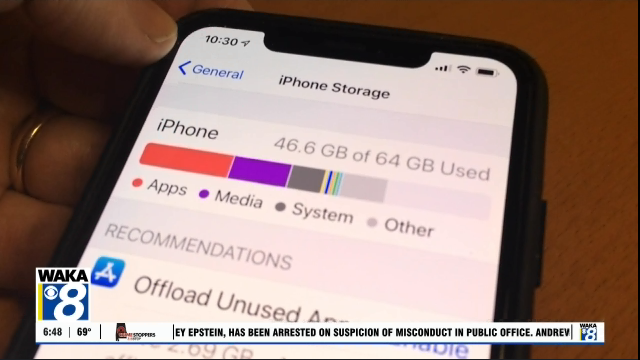
If you’ve ever checked what’s taking up space on your iPhone, you may remember a mysterious category called “Other.” Apple renamed it. Now it’s called System Data.
On older versions of iOS, you may still see it called “Other”.
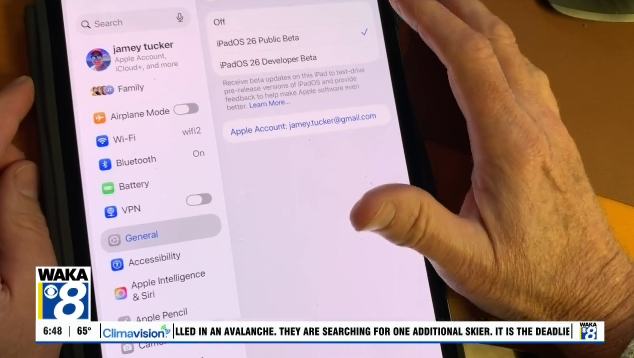
And sometimes it takes up a lot of storage. On my old iPad, the Other category took up more storage space than apps and photos put together.
If you’re running low on space, go to Settings > General > iPhone Storage. You’ll see a color bar showing what’s using your storage. Near the end, you may see System Data using several gigabytes.
So what is it?
System Data includes cached files, temporary downloads, system logs, and other behind-the-scenes files iOS creates while you use your phone. It can also include leftover data from apps.
The frustrating part is that you can’t tap on System Data and delete it directly. There’s no simple“clear” button. But you can reduce it.
Start With Apps
In iPhone Storage, tap on individual apps and look at the two numbers listed:
● App Size
● Documents & Data
That second number is often much larger, especially with social media apps such as TikTok, Instagram, and Facebook.
Offloading an app removes the app itself but keeps its documents and data. That does not reduce stored files.
If an app is storing hundreds of megabytes or even gigabytes of documents and data, the only way to fully clear it is to delete the app completely and reinstall it. That might make you feel a little uneasy about deleting apps you use most often. However, most apps store your account information in the cloud, so when you download the app again and sign back in, your content is
restored, but the old cached data is not.
What About Android?
Android phones have a similar issue, though the name may be different.
Go to Settings > Storage, then tap Apps to see what’s using the most space. On many Android devices, you can clear cached data directly inside each app’s storage settings without deleting the app entirely.
There isn’t a way to delete the data with one tap. You’ll have to do it one app at a time.
The Bottom Line
You won’t eliminate System Data completely. Your phone needs some of it to function properly. But taking 10 to 15 minutes to identify apps with large amounts of stored data can free up several gigabytes of storage.
I reclaimed more than 10 gigabytes on my phone in about 15 minutes. That’s a lot of space for more photos and video.
Fair warning. Before deleting any app, make sure you know the password to log back in after reinstalling it.