What The Tech App of the Day: MyMind
BY JAMEY TUCKER, Consumer Tech Reporter
Most of us have information scattered all over our phones. There are notes in the Notes app, browser bookmarks, articles we meant to read and screenshots we saved because we thought they might be useful later.
The problem comes when you actually need to find one of them. An app called mymind is designed to put all of those things in one place and use artificial intelligence to help you find them again.
Save It Now, Find It Later
mymind works a little differently from a traditional note-taking app. Instead of creating folders and deciding where everything belongs, you can simply save things as you come across them.
See an image on Pinterest you want to remember? Save it to mymind. A friend mentions several TV shows you should stream? Create a quick note and save the list. You can also use it for a simple brain dump.
For example:
“Paint front door.”
“Fix screen on the porch.”
“Change lightbulb in the laundry room.”
You can save the note and move on.
The app uses artificial intelligence to analyze and organize what you save so you do not have to
spend as much time creating folders or filing things yourself.
Useful for Research
mymind can also be useful for work and research. I use it when I come across articles or information I may need for future stories. For example, if I find something about Flock license plate cameras, I can save it to mymind.
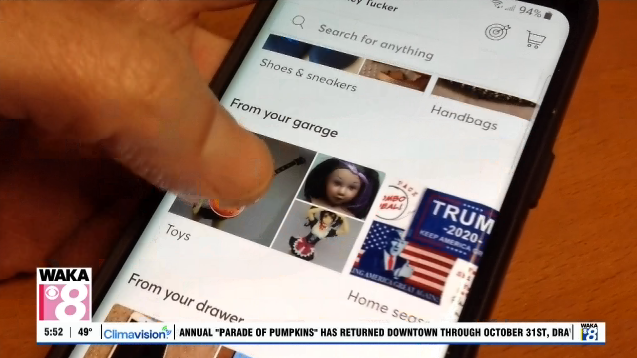
A browser extension makes that especially easy. When you find an article or website you want to keep, you can add it to mymind with a click. When you return later, the things you saved appear as visual cards rather than just a long list of links.
That can make it easier to recognize what you are looking for.
AI Can Search Images Too
One of the more interesting features is the app’s ability to recognize words and objects inside
images. That means you may not need to remember exactly what you called something when you saved
it. If a friend named Tom recommended a movie, you might later search for something like “movie
Tom recommended.” If you saved a picture of an outdoor firepit, you could search for “firepit.”
mymind uses what it knows about the things you saved to help locate them.
Is mymind Free?
You can try mymind for free, although the free version limits how many items you can save.
Paid plans start at around $5 a month. More advanced AI features are included with higher-priced plans.
Unlike many free apps, mymind says it does not support itself with advertising. The company
says it does not track users or sell their data. For people whose notes, screenshots, bookmarks and ideas are spread across several different apps, mymind offers a different approach.
Instead of spending time organizing everything, the idea is simple:
Save it now and let AI help you find it later.