What The Tech: An free app that is an alternative to Ring cameras
BY JAMEY TUCKER, Consumer Tech Reporter:
Before you spend money on another home security camera, check that drawer where you
keep your old smartphones. You might already have everything you need to keep an eye
on your home while you’re away.
Home security cameras have become relatively inexpensive, with many models selling for
around $50 or more. But a free app called AlfredCamera can turn an old smartphone into a
working security camera in just a few minutes.
It’s an easy way to monitor your front door, keep an eye on pets, or check on a room while
you’re at work or on vacation.
How AlfredCamera Works
AlfredCamera turns an old iPhone or Android smartphone into a live-streaming security camera.
You’ll need two devices: an old smartphone that serves as the camera and your current phone
or tablet that you’ll use to watch the video.
Here’s how to get started:
1. Download the AlfredCamera app on both devices.
2. Follow the instructions to connect the devices to the same AlfredCamera account.
3. Set the old smartphone as the camera and your primary device as the viewer.
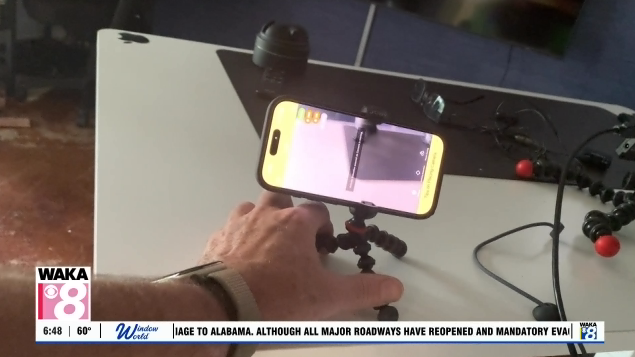
4. Position the old phone where you want to monitor activity.
5. Open the app on your primary phone to watch the live video feed.
Once everything is connected, you can check the camera from virtually anywhere with an
internet connection.
You can also access your camera from a computer by logging into AlfredCamera’s website.
More Than Just Live Video
AlfredCamera does more than let you watch what’s happening at home.
The app can detect movement and send notifications to your smartphone when something
moves in front of the camera.
That means you don’t have to watch the live feed all day. You can check in when the app alerts
you to activity.
It’s particularly useful for monitoring an entryway, checking on pets, or keeping an eye on an
area where you don’t already have a security camera.
And because AlfredCamera works with both iPhones and Android devices, you don’t have to
use two phones from the same manufacturer.
A Few Things to Know Before Using It
There are some important considerations when using an old smartphone as a security camera.
Keep it plugged in. Streaming video continuously can drain a phone’s battery quickly. You’ll
want to connect it to a charger if you plan to leave it running.
Make sure it’s secure. Position the phone on a stable surface or use a smartphone stand. Aim
the camera at the area you want to monitor.
Watch for overheating. Older phones, particularly those with damaged or aging batteries, can
become hot when operating continuously while charging. Place the phone on a hard,
nonflammable surface and test it before leaving it unattended. Don’t use a device that becomes
unusually hot or has a swollen battery.
You’ll also need a reliable Wi-Fi connection at home for the camera to work properly.
Is AlfredCamera Really Free?
Yes. AlfredCamera offers a free version that includes live video viewing and motion detection.
There are some trade-offs, though.
The free version includes advertisements and restrictions on certain features, including camera
usage and video options.
AlfredCamera also offers a premium subscription that removes ads and adds more advanced
features.
For someone who wants to build a more extensive home monitoring system, the paid version
may be worth considering.
But if you simply want to keep an eye on a door, check on a pet, or add another camera without
spending money on new equipment, the free version may be all you need.
The Bottom Line
An old smartphone might not be worth much as a trade-in, but it could still be useful around the
house.
AlfredCamera gives that unused phone a second life and offers an inexpensive way to add
another layer of home monitoring.
It won’t necessarily replace a dedicated home security system, but for occasional monitoring, it’s
a practical solution that costs little or nothing to try.
Learn more: AlfredCamera official website